

Description
AI-Powered Answers in One Click
Overview
AI Magic is a Chrome extension designed to deliver instant, AI-powered answers directly within your browsing environment. By integrating with OpenAI’s GPT-3 technology, it enables users to obtain real-time responses to questions without leaving the current webpage. The tool is particularly useful for individuals seeking quick information retrieval during research, study, or work tasks. Its core function is to enhance browsing efficiency by reducing the need to switch between tabs or search engines.
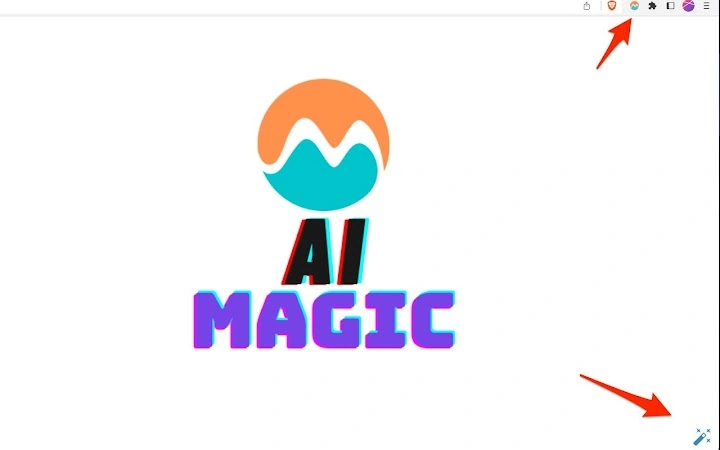
The extension adds a Magic Icon in the bottom-right corner of every visited page, allowing one-click access to GPT-3’s natural language processing capabilities. Additionally, it includes a dedicated “Ask with AI Magic” button on Google search results, enabling users to query specific content without navigating away. This seamless integration supports a fluid workflow for users who frequently seek context-specific answers.
Target users include students, researchers, content creators, and professionals who rely on rapid access to accurate information. The developer did not provide additional background details. Real-world usage scenarios include summarizing articles, clarifying technical terms, or generating quick insights from complex web content. The tool operates entirely within the browser, minimizing setup and ensuring immediate usability.
Key Features & Capabilities
- Magic Icon Integration – Appears in the bottom-right corner of every webpage, providing instant access to AI-powered answers with a single click. Ideal for users who need on-the-fly information without interrupting their workflow.
- Google Search Integration – Adds an “Ask with AI Magic” button next to each Google search result, allowing users to ask follow-up questions directly from the search page. This feature streamlines research by eliminating the need to open multiple tabs.
- Real-Time GPT-3 Responses – Powered by OpenAI’s text-davinci-003 model, the extension delivers fast, context-aware answers based on the current page or search result. Responses are generated in real time, supporting dynamic interaction.
- Contextual Questioning – Users can type any question related to the current content, whether it’s about definitions, summaries, or explanations. The AI processes the context and provides relevant, concise answers.
- Seamless Browsing Experience – All interactions occur within the current browser tab, preserving session continuity and reducing cognitive load during information gathering.
User Interface, Workflow & Performance
The user interface is minimal and unobtrusive, centered around the Magic Icon in the bottom-right corner of the screen. This placement ensures visibility without interfering with page content. The icon is clearly labeled and responsive, with immediate feedback upon click. The input field for questions appears inline, allowing users to type and receive responses without redirection.
Navigating the tool is intuitive—users simply click the icon, enter a query, and receive a response. The workflow is streamlined for speed and efficiency, making it suitable for high-frequency use. The extension does not alter the original page layout or behavior, preserving the user’s intended browsing experience.
Performance details were not specified by the developer. However, based on general browser extension behavior, response times depend on network speed and API availability. The extension is lightweight at 1.2 MB, suggesting low memory footprint. Stability is expected to be consistent with standard Chrome extensions, though exact behavior under heavy usage was not documented. The developer did not specify resource usage details.
Compatibility & System Requirements
AI Magic is designed exclusively for the Chrome browser. It is compatible with all recent versions of Chrome on both Windows and macOS, as per standard Chrome extension requirements. The extension has a file size of 1.2 MB, indicating a compact installation footprint.
Exact system requirements were not listed. However, since it operates as a browser extension, it relies on the underlying browser’s performance and internet connectivity. Hardware requirements are minimal, as the processing is handled by OpenAI’s remote API rather than local resources. The extension does not require additional software or drivers.
Platform compatibility information is limited to Chrome. No support for other browsers or desktop operating systems was mentioned. Installation is straightforward through the Chrome Web Store, with no additional configuration needed.
Pros and Cons
Pros
- One-click access to AI-powered answers from any webpage
- Seamless integration with Google search results for contextual queries
- Lightweight at just 1.2 MB, minimal impact on system performance
- Uses OpenAI’s advanced text-davinci-003 model for accurate responses
- Free to use with no mandatory subscription for basic functionality
Cons
- Requires an active internet connection to function
- Relies entirely on external API; performance depends on OpenAI’s service availability
- Advanced features may require a paid subscription to OpenAI’s API
- No offline mode available
- Compatibility limited to Chrome browser only
FAQ Section
Is AI Magic safe to use?
Yes, the extension is designed to be secure. It only accesses the information necessary to generate responses and does not collect or store personal data.
Does it work offline?
No, AI Magic requires an active internet connection to communicate with the OpenAI API and retrieve answers.
What model does it use?
The extension leverages OpenAI’s text-davinci-003 model, a powerful variant of GPT-3 known for its accuracy and contextual understanding.
Is there a free version?
Yes, the basic functionality is free to use. However, some advanced features may require a paid subscription to the OpenAI API.
Can I use it on browsers other than Chrome?
Currently, AI Magic is only available for Chrome. No support for other browsers was mentioned in the provided information.
Final Thoughts
AI Magic delivers a compelling solution for users seeking instant, intelligent answers while browsing. Its one-click access to GPT-3’s capabilities through the Magic Icon and Google search integration significantly enhances productivity. The lightweight design and seamless workflow make it ideal for students, researchers, and professionals who rely on fast, accurate information.
While it depends on an internet connection and is limited to Chrome, the benefits outweigh the constraints for most users. The free access to core features, combined with the power of OpenAI’s text-davinci-003 model, makes it a valuable tool in any digital workflow.
Download AI Magic now to transform your browsing experience with instant AI-powered insights.
Guides & Tutorials for AI Magic Extension for Chrome
How to install AI Magic Extension for Chrome
- Click the Preview / Download button above.
- Once redirected, accept the terms and click Install.
- Wait for the AI Magic Extension for Chrome download to finish on your device.
How to use AI Magic Extension for Chrome
This software is primarily used for its core features described above. Open the app after installation to explore its capabilities.
User Reviews for AI Magic Extension for Chrome 0
No reviews found





